


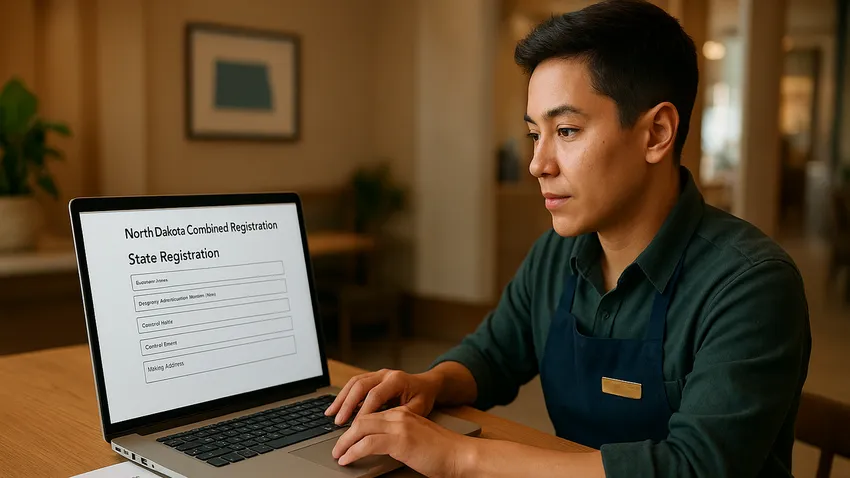

North Dakota Combined Registration System (ND TAP) explains how Business Owners register for state tax accounts and manage filings using the state’s online portal.
This article walks you through registering for Sales and Use Tax, Income Tax Withholding, creating an ND TAP account, and special tax rules.

1. Overview of the North Dakota Combined Registration System
North Dakota requires businesses that sell taxable goods or employ workers in the state to register for state tax accounts through ND TAP.
The North Dakota Taxpayer Access Point centralizes account creation, return filing, and payments for Sales and Use Tax and Income Tax Withholding.
What Is ND TAP?
ND TAP is the online portal provided by the North Dakota Office of State Tax Commissioner for business tax account management.
Through ND TAP you can apply for new accounts, file returns, view balances, and make electronic payments.
2. How To Register For a Sales and Use Tax Account
Businesses that sell tangible personal property or provide taxable services in North Dakota must register for a Sales and Use Tax account.
Registration initiates your ability To collect sales tax from customers and remit it to the state using electronic filing and payment tools on ND TAP.
Steps To Register For Sales and Use Tax
Visit the ND TAP website and click "Apply for Sales & Use or Withholding account."
Complete the application with accurate business information including legal name, address, and the nature of taxable sales.
Submit the application and wait for approval from the Office of State Tax Commissioner before you begin collecting tax.
Once approved you will file returns and make payments through ND TAP, as North Dakota transitioned To digital-only filing for sales and use tax returns on January 1, 2023.



The Fastest Growing
Restaurant & Hospitality Job Platform
Looking for top paid jobs? Or Hiring for your business?
3. How To Register For an Income Tax Withholding Account
Employers who pay wages for services performed in North Dakota must withhold state income tax and register a withholding account.
Registering ensures you can remit withheld taxes and submit employer withholding returns through ND TAP.
Steps To Register For Withholding
Access ND TAP and select "Apply for Sales & Use or Withholding account."
Provide employer details, anticipated payroll schedule, and other requested business information, then submit the application.
After approval you will use ND TAP To file withholding returns, report new hires if required, and make electronic payments on schedule.
4. How To Create an ND TAP Account
To manage tax accounts online you must register for access to ND TAP and associate your tax accounts with your user profile.
Creating an ND TAP account establishes secure access and authorizes users To file and pay on behalf of the business.
ND TAP Sign Up Instructions
Go to the ND TAP homepage and click "Sign Up for Access."
Create a username and password and choose the appropriate access level for your needs.
An authorization code will be sent via mail or email depending on the access level you select, and you must use that code To complete setup.
After logging in add access To your tax accounts so you can view account balances, file returns, and make payments.
5. Special Taxes and Motor Vehicle Excise Tax
In addition To Sales and Use Tax and Withholding, North Dakota administers a variety of special taxes that may apply to specific industries or transactions.
Examples include the Aircraft Excise Tax and the Music and Dramatico-Musical Composition Performing Rights Tax.
Motor Vehicle Excise Tax
Sales of licensed motor vehicles in North Dakota are subject to a 5 percent motor vehicle excise tax remitted through the Department of Transportation at the time of vehicle registration.
Dealers and sellers should coordinate collection and remittance procedures with the Department of Transportation to ensure correct handling of the excise tax.
6. Employer Responsibilities and Best Practices
Employers should register withholding accounts before paying wages to employees who perform services in North Dakota.
Maintain accurate payroll records and update ND TAP account information if business details change to prevent filing errors or penalties.
- Register early To avoid delays in withholding and remittance.
- Use ND TAP To file returns and make electronic payments as required.
- Keep records of all registrations, authorization codes, and correspondence with the Tax Commissioner.
Common Mistakes To Avoid
Do not wait until after you begin collecting sales tax To register, as you are responsible for tax collected and may face penalties for late registration.
Do not rely on paper forms for sales and use tax filing because the state requires digital-only filing for most returns as of 2023.
The Fastest Growing
Restaurant & Hospitality Job Platform
Looking for top paid jobs? Or Hiring for your business?
7. Quick Reference Table of Accounts and Agencies
| Account Type | Agency | How To Register |
|---|---|---|
| Sales and Use Tax | North Dakota Office of State Tax Commissioner | Apply through ND TAP via "Apply for Sales & Use or Withholding account"; file returns digitally |
| Income Tax Withholding | North Dakota Office of State Tax Commissioner | Apply through ND TAP and submit employer details for withholding account approval |
| ND TAP User Access | North Dakota Office of State Tax Commissioner | Sign up for access on ND TAP; receive an authorization code by mail or email to complete setup |
| Motor Vehicle Excise Tax | North Dakota Department of Transportation | Remitted at vehicle registration through the Department of Transportation; dealers coordinate collection procedures |
| Special Excise Taxes | North Dakota Office of State Tax Commissioner | Review special tax guidance on the Tax Commissioner website and register specific accounts via ND TAP if required |
8. Additional Resources For Registration and Forms
- North Dakota Taxpayer Access Point (ND TAP) - Sign Up Instructions
- North Dakota Office of State Tax Commissioner - Sales and Use Tax
- North Dakota Department of Transportation - Motor Vehicle Services
North Dakota Combined Registration System: Conclusion
Registering for state tax accounts through ND TAP is the required path for Businesses that sell taxable goods or employ workers in North Dakota.
Follow the ND TAP sign up instructions, apply for Sales and Use and Withholding accounts before you transact, and use the portal To file returns and remit payments to stay compliant.




Loading comments...