


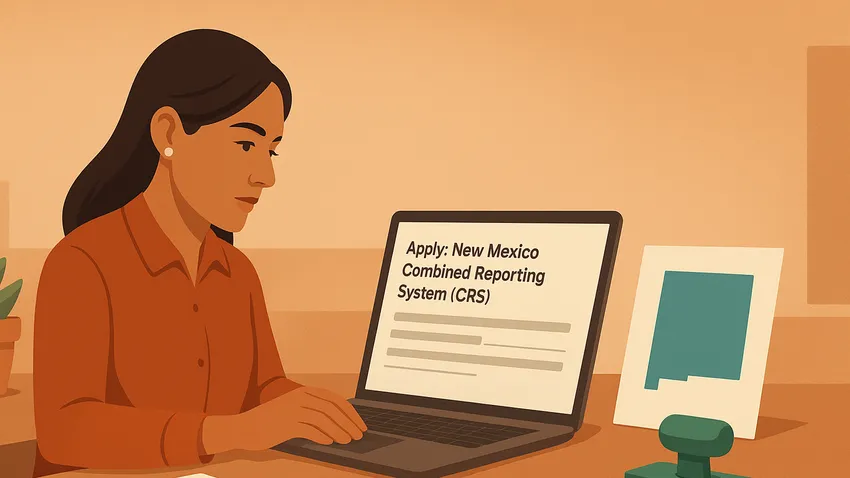

New Mexico Combined Reporting System (CRS) Registration explains how Business Owners obtain the New Mexico Business Tax Identification Number (NMBTIN) to report and pay state taxes.
This guide outlines what information you need, How To register via the Taxpayer Access Point (TAP), alternative methods, filing frequency, and local licensing considerations.

1. Overview of the New Mexico Combined Reporting System
The Combined Reporting System issues the New Mexico Business Tax Identification Number, an 11-digit identifier used for gross receipts, compensating, and withholding taxes.
The Taxation and Revenue Department (TRD) uses the NMBTIN to track tax accounts and assign filing frequencies for businesses operating in New Mexico.
Who Must Register
Any individual or entity engaging in business activities in New Mexico must register with TRD.
This includes Corporations, Partnerships, Limited Liability Companies, Sole Proprietors, and other business structures regardless of whether you have employees.
Sole Proprietors or individual owners without employees do not need a Federal Employer Identification Number (FEIN) to register, but they must provide a Social Security Number.
2. What You Need Before Registering
Gather the required information before starting the registration to streamline the process.
- Federal Tax ID Number (FEIN) or Social Security Number (SSN) for Sole Proprietors.
- Legal business name and any doing business as (DBA) name.
- Physical and mailing addresses for the business.
- Type of business entity such as Corporation, Partnership, LLC, or Sole Proprietorship.
- Description of business activities and expected commencement date in New Mexico.
3. How To Register With TRD
The TRD recommends online registration through the Taxpayer Access Point, known as TAP.
Create a logon by selecting Sign Up Now, choose Business, and follow the prompts to complete the registration.
Once you finish the TAP application you will receive your New Mexico Business Tax Identification Number immediately in most cases.
Alternative Registration Methods
If you prefer not to use TAP you can file Form ACD-31015, the Business Tax Registration Application.
Submit the completed form in person at a TRD district office or mail it to the address on the form; processing times vary for mailed applications.



The Fastest Growing
Restaurant & Hospitality Job Platform
Looking for top paid jobs? Or Hiring for your business?
4. Filing Frequency and Account Management
After registration TRD assigns a filing frequency based on your expected tax liability such as monthly, quarterly, or semi-annual filing.
Use your TAP account to view assigned filing periods, file returns, make payments, and manage account details online.
If your business activity or tax liability changes TRD may update your filing frequency; monitor notices and account messages in TAP.
5. Updating Registration and Change of Information
If your address, ownership, business name, or activity changes update your registration promptly to avoid missed notices or penalties.
You can update information through your TAP account or by submitting a new Form ACD-31015 to TRD.
6. Local Licenses and Other Obligations
Obtaining an NMBTIN does not replace local business licenses or registrations required by cities and counties.
For example the City of Hobbs requires businesses to register with the City Clerk and provide the NMBTIN during the local registration process.
Check with your city or county clerk for local requirements such as business licenses permits or occupational registrations.
The Fastest Growing
Restaurant & Hospitality Job Platform
Looking for top paid jobs? Or Hiring for your business?
7. Best Practices and Common Mistakes To Avoid
Keep accurate records of your FEIN, NMBTIN and TAP logon credentials.
Set calendar reminders for filing and payment deadlines based on the filing frequency TRD assigns.
- Do not delay registering — register before you begin operations in New Mexico to avoid penalties.
- Use TAP for immediate issuance of the NMBTIN and easier account management.
- Update TRD promptly when business details change to keep notices and returns accurate.
- Confirm local licensing requirements with city or county offices after obtaining your NMBTIN.
Common mistakes include using incorrect business names mismatching FEIN and NMBTIN records and failing to update addresses or ownership changes.
8. Quick Reference Table of Accounts and Agencies
| Account Type | Agency | How To Register |
|---|---|---|
| New Mexico Business Tax Identification Number (NMBTIN) | New Mexico Taxation and Revenue Department | Register online through TAP for immediate issuance or submit Form ACD-31015 in person or by mail |
| Taxpayer Access Point (TAP) | New Mexico Taxation and Revenue Department | Create a logon via TAP Sign Up Now and complete the Business registration |
| Business Tax Registration Application | New Mexico Taxation and Revenue Department | Complete Form ACD-31015 and submit at a TRD district office or by mail |
| TRD District Offices | New Mexico Taxation and Revenue Department | Deliver Form ACD-31015 in person or get in-person assistance with registration |
| Local Business Licenses | City or County Clerk | Register locally as required and provide your NMBTIN during the local application |
9. Additional Resources For Registration and Forms
- New Mexico Taxation and Revenue Department
- Taxpayer Access Point (TAP) Portal
- Business Tax Registration Application (Form ACD-31015)
- TRD District Offices Contact Information
- City of Hobbs Business Registration Guidance
New Mexico Combined Reporting System: Conclusion
Registering for your New Mexico Business Tax Identification Number is a required step for any Business Owner operating in the state.
Use TAP for the fastest processing gather required documents in advance update TRD when details change and check local licensing rules to remain compliant and avoid penalties.





Loading comments...