


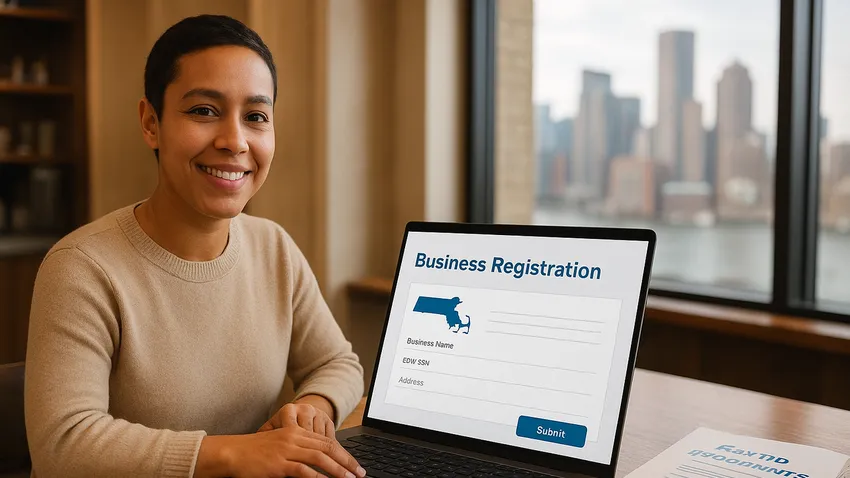

MassTaxConnect Business Registration walks Massachusetts Business Owners through obtaining a state Tax Identification Number via the Massachusetts Department of Revenue's online portal.
This guide explains What To prepare, How To register on MassTaxConnect, post registration steps, and key tax types like withholding, sales and corporate excise.

1. Overview of MassTaxConnect and Tax ID Requirements
Massachusetts requires most businesses to register with the Department of Revenue and obtain a Massachusetts Tax Identification Number to collect, remit, and report state taxes.
MassTaxConnect is the DOR's secure portal for registering new taxpayers, filing returns, making payments, and receiving registration certificates for the tax types you select.
Why You Need a Massachusetts Tax ID
A Massachusetts Tax ID links your business to state tax accounts for withholding, sales and use, corporate excise, and other DOR-administered taxes.
Having a Tax ID ensures your business can legally hire employees, collect sales tax, and comply with reporting and payment obligations in Massachusetts.
What To Check Before Starting Registration
Decide your business structure such as Sole Proprietorship, Partnership, LLC, or Corporation before you begin the MassTaxConnect registration.
Obtain a Federal Employer Identification Number (EIN) from the IRS if you have employees or if your business structure requires it; sole proprietors without employees may use an SSN.
2. Information Required To Register on MassTaxConnect
Gather basic business details including legal name, mailing and physical addresses, business start date, and a description or NAICS code of your activity.
For Sole Proprietors without employees you will need a Social Security Number, while all other entities should have an EIN available when registering.
Additional Details For Partnerships and Corporations
Partnerships and Corporations must provide owner or officer contact information including names, titles, and Social Security Numbers as prompted by the portal.
Nonprofit organizations should have their IRS determination letter recognizing 501(c)(3) status handy if claiming exempt status during registration.
3. How To Register on MassTaxConnect
Visit the MassTaxConnect website and either Sign Up for an account or use the Quick Links to Register a New Taxpayer to begin a new business registration.
Choose Register a New Business, complete the online application, select the tax types you expect to be liable for, and submit the form to the DOR for processing.
Creating Your Account and Security
After submission you will receive a confirmation email with account setup instructions and you should enable two step verification for improved security.
Log back into MassTaxConnect to check registration status and view any correspondence or additional requests from the DOR.



The Fastest Growing
Restaurant & Hospitality Job Platform
Looking for top paid jobs? Or Hiring for your business?
4. What Happens After You Register
Once the Department of Revenue approves your registration they will mail a registration certificate that documents the accounts and tax types assigned to your business.
Keep the mailed certificate with your business records and use the account details when setting up payroll, sales tax collection, and financial reporting systems.
Timing and Next Steps
Processing times vary but most online registrations are handled promptly; if the DOR needs more information they will contact you through your MassTaxConnect account or by mail.
Update your payroll provider and point of sale systems with withholding and sales tax account numbers as soon as you receive them to avoid filing and remittance errors.
The Fastest Growing
Restaurant & Hospitality Job Platform
Looking for top paid jobs? Or Hiring for your business?
5. Key Tax Types and Employer Obligations
Withholding Tax: Employers must withhold Massachusetts personal income tax from wages paid to Residents and from non Residents for services performed in the state.
Sales and Use Tax: Businesses selling tangible personal property or certain taxable services must collect and remit sales tax in Massachusetts.
Corporate Excise Tax: Corporations operating in Massachusetts pay corporate excise which includes an income measure and a non income measure, with a statutory minimum tax currently set at $456.
6. Tips and Common Mistakes To Avoid
Apply for an EIN early if you need one, because you will need it to complete MassTaxConnect registration for most entity types.
Do not wait to register; some taxes require you to register before charging tax or hiring employees, and delays can result in penalties or interest.
Ensure contact information and addresses are accurate and keep copies of confirmation emails and the mailed registration certificate for your records.
7. Quick Reference Table of Accounts and Agencies
| Account Type | Agency | How To Register |
|---|---|---|
| Massachusetts Tax ID | Massachusetts Department of Revenue | Register online via MassTaxConnect under Register a New Business |
| Federal EIN | Internal Revenue Service | Apply online at the IRS EIN application; required for most entities and employers |
| Withholding Tax Account | Massachusetts Department of Revenue | Select withholding tax during MassTaxConnect registration and update payroll systems with the account number |
| Sales and Use Tax | Massachusetts Department of Revenue | Register for sales tax on MassTaxConnect if you sell taxable goods or services |
| Corporate Excise Account | Massachusetts Department of Revenue | Corporations select corporate excise when registering on MassTaxConnect and file returns through the portal |
8. Additional Resources For Registration and Forms
- Massachusetts Department of Revenue - Business Taxes Overview
- MassTaxConnect Portal
- IRS EIN Application
MassTaxConnect Business Registration: Conclusion
Registering on MassTaxConnect and obtaining a Massachusetts Tax ID is a core compliance step for Businesses operating in the state.
Prepare the required information, complete the online registration, enable account security, and monitor your MassTaxConnect account for the mailed registration certificate and any follow up from the DOR.





Loading comments...