


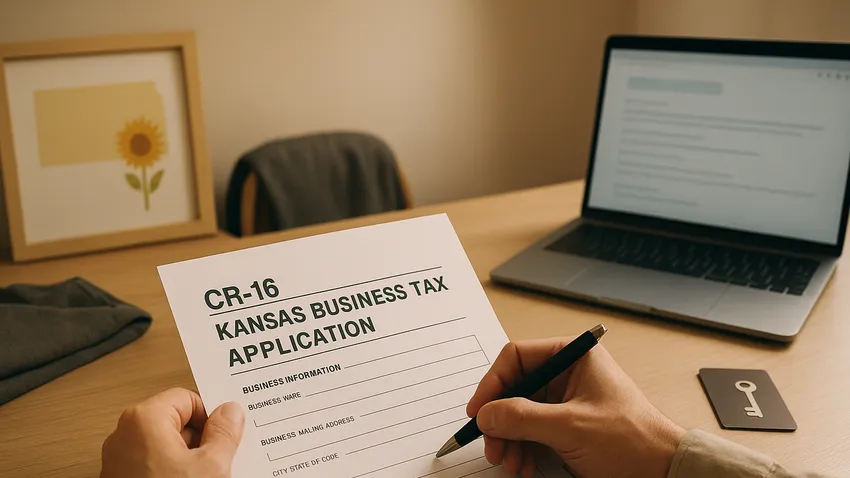

Kansas Business Tax Application (CR-16) explains how Business Owners and Employers obtain a Kansas State Tax Identification Number required for state tax compliance.
This guide covers Who needs to file, How To register online or by mail, completing Form CR-16, and other key filing requirements.

1. Overview of Kansas Business Tax Application (CR-16)
The Kansas Department of Revenue requires businesses to register using Form CR-16 to obtain a State Tax ID for state tax reporting.
The State Tax ID establishes accounts for Retailers Sales Tax, Withholding Tax, Compensating Use Tax, and other state administered taxes.
Who Needs To File
Any individual or entity conducting business in Kansas must register, including Sole Proprietors, Partnerships, Corporations, and LLCs.
Register if you sell tangible personal property, provide taxable services, hire employees, or otherwise engage in taxable activity in Kansas.
2. How To Register for a Kansas State Tax ID
The Kansas Department of Revenue provides three primary submission methods for Form CR-16: online, mail or fax, and in person.
Online Registration via the KDOR Customer Service Center
Use the Kansas Department of Revenue Customer Service Center to complete Form CR-16 electronically for fastest processing.
Online submissions typically provide immediate confirmation and prompt issuance of your tax account number when the application is complete.
Mail or Fax Registration
Download and complete Form CR-16 and send it to the Department by mail or fax if you prefer paper submission.
Mail to PO Box 3506, Topeka, KS 66601-3506, or fax to 785-291-3614; mail or fax processing usually takes two to three business days.
In Person Registration and Same Day Processing
Schedule an appointment at a KDOR assistance center to register in person and receive same day processing if eligible.
An Owner, Partner, or Principal Officer must appear with the completed Form CR-16 and no outstanding tax liabilities for immediate issuance of the Certificate of Registration.
3. Steps To Complete Form CR-16
Form CR-16 contains twelve parts; all applicants must complete Parts 1, 2, 3, 4, and 12 at minimum.
Complete additional parts as they apply to your business activities to ensure accurate registration.
Part 1: Reason for Application
Indicate whether you are starting a new business, purchasing an existing business, or registering additional tax types on this section.
Part 2: Tax Types
Select each tax type you are registering for, such as Retailers Sales Tax, Withholding Tax, or Compensating Use Tax.
Part 3: Business Information
Provide the legal business name, trade name or DBA, physical and mailing addresses, NAICS code if known, and primary contact details.
Part 4: Ownership Information
List Owners, Partners, or Corporate Officers with names, Social Security Numbers or EINs, and titles as requested on the form.
Part 12: Signature and Certification
An authorized representative such as an Owner, Partner, or Principal Officer must sign and date the form to certify the accuracy of the information.



The Fastest Growing
Restaurant & Hospitality Job Platform
Looking for top paid jobs? Or Hiring for your business?
4. Additional Considerations for Registration
If you operate more than one location in Kansas you must file Form CR-17, the Registration Schedule for Additional Business Locations, for each site.
Report changes to business name, ownership, address, or cessation of activity to KDOR promptly to keep your tax accounts accurate.
Kansas requires electronic filing and payment for certain taxes including Retailers Sales Tax, Compensating Use Tax, and Withholding Tax, so plan to enroll in electronic services if you meet the thresholds.
5. Best Practices and Common Mistakes
Apply early for your State Tax ID before hiring employees or opening for sales to avoid penalties and registration delays.
Maintain copies of the submitted CR-16 and any confirmation numbers, and update payroll and accounting systems when your tax account number is issued.
Common mistakes include leaving required parts of the form blank and failing To provide ownership Social Security Numbers or EINs which can slow processing.
6. Quick Reference Table of Accounts and Agencies
| Account Type | Agency | How To Register |
|---|---|---|
| State Tax Identification Number | Kansas Department of Revenue | Complete Form CR-16 online via the KDOR Customer Service Center or submit by mail, fax, or in person |
| Retailers Sales Tax | Kansas Department of Revenue | Select on Part 2 of Form CR-16 and enroll in electronic filing if required |
| Withholding Tax Account | Kansas Department of Revenue | Select Withholding Tax on Form CR-16 and register for electronic payments as directed |
| Compensating Use Tax | Kansas Department of Revenue | Include Compensating Use Tax on Part 2 of CR-16 and comply with electronic filing mandates |
| Additional Location Registration | Kansas Department of Revenue | File Form CR-17 for each additional business location operating in Kansas |
7. Additional Resources For Forms and Guidance
- Kansas Department of Revenue – Business Tax Application (Form CR-16)
- Kansas Department of Revenue – Business Tax Application Booklet (Pub. KS-1216)
- Kansas Department of Revenue – Frequently Asked Questions About Business Registration
- Kansas Department of Revenue – Customer Service Center
- Kansas Business Center – Determine Business Tax Requirements
The Fastest Growing
Restaurant & Hospitality Job Platform
Looking for top paid jobs? Or Hiring for your business?
Kansas Business Tax Application (CR-16): Conclusion
Registering with KDOR using Form CR-16 is a foundational compliance step for Kansas Business Owners and Employers who sell goods, provide taxable services, or hire employees.
Choose the online option for fastest issuance, keep records of your confirmation, complete all required parts accurately, and update KDOR when business details change to maintain compliance.





Loading comments...