
Indeed is one of the largest job boards in the U.S., making it a common starting point for employers looking to reach a wide pool of candidates.
This article walks you through how to post jobs on Indeed step by step and what to expect after your listing goes live.
It also explains when a more targeted hiring platform like OysterLink makes sense, especially for hospitality roles.

How To Post a Job on Indeed: A Step-by-Step Guide
Indeed uses a simple, question-based process that walks you through each step as you create a job post on the platform.
The sections below explain what you’ll need to do at each stage.
1. Create an Indeed employer account
To get started, visit Indeed’s employer site and create an account using your email address or a Google account.
You’ll enter basic company information, such as your business name and location.
If your company already appears on Indeed, you may be prompted to claim the employer profile instead of creating a new one.

2. Verify your email address
After signing up, Indeed will send a verification email.
Click the link in your inbox to activate your account. Once verified, you’ll gain access to your Employer Dashboard, where you can manage job ads, applications and budgets.
3. Click “Post a job” to begin
From your Employer Dashboard, select Post a job to start creating a new listing.
If you’ve posted before, you can return here at any time to place a new ad on Indeed or manage existing ones.

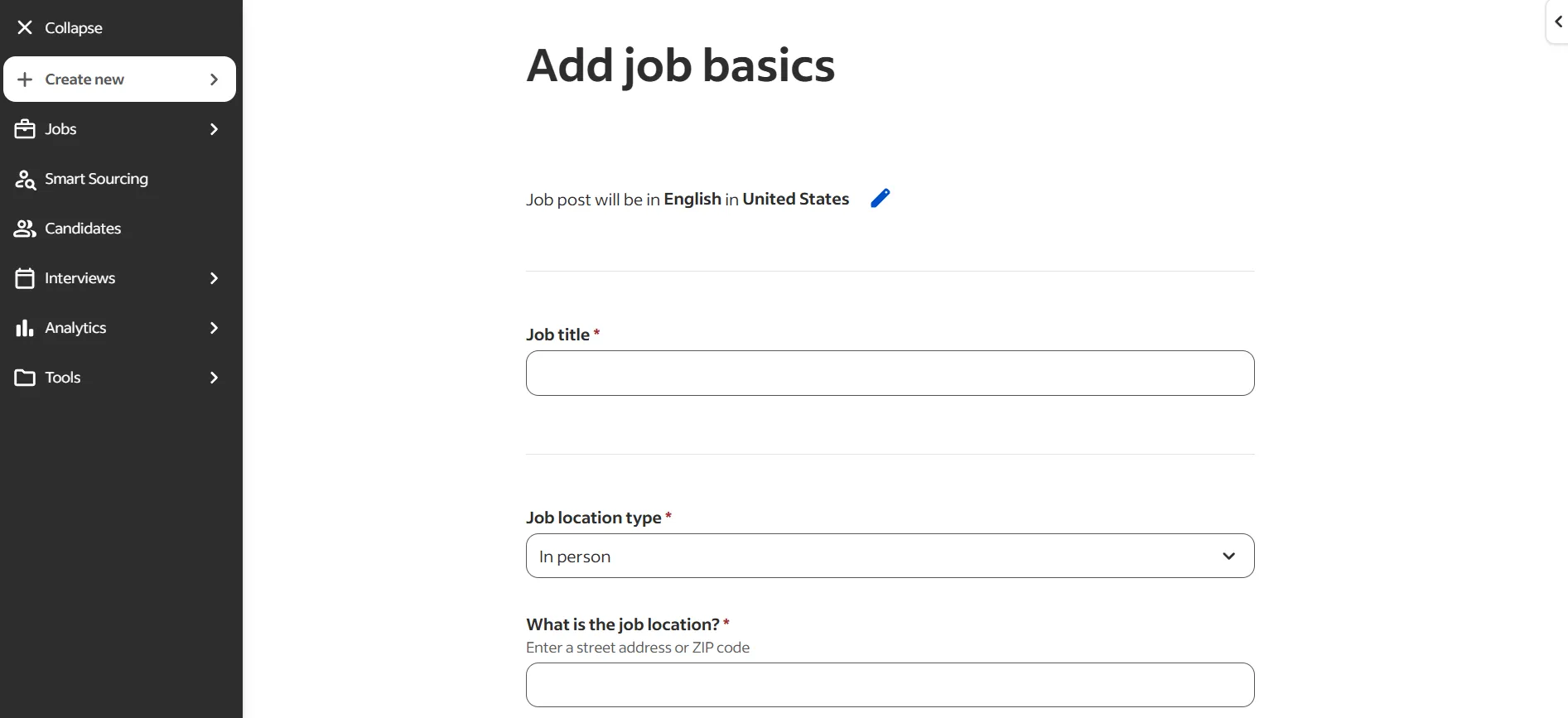
4. Enter the job title and location
Start with a clear, industry-standard job title that candidates commonly search for. Avoid internal titles or promotional language.
Next, add the job location and specify whether the role is on-site, hybrid or remote. Indeed uses this information to match your job ad with relevant jobseeker searches.
5. Set your hiring goals
Choose a hiring timeline that matches your needs. Options include 1–3 days, 3–7 days, 1–2 weeks, 2–4 weeks or more than 4 weeks.
You’ll also be asked to specify how many people you plan to hire in the next 30 days.

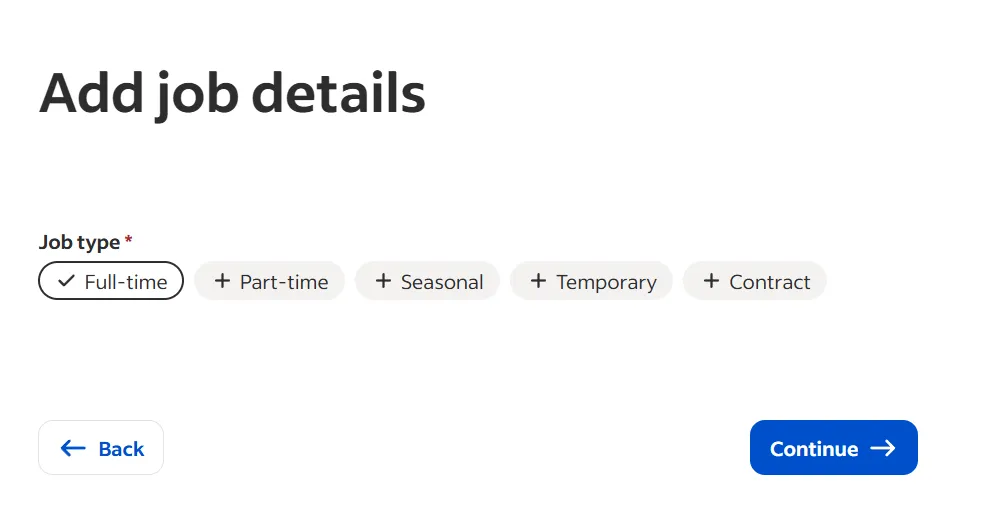
6. Add job details and employment type
You’ll then be prompted to enter key job details, including:
- Employment type (full-time, part-time, contract, temporary, internship)
- Work schedule or shifts
- Work-from-home or remote eligibility
Providing complete information improves how your job ad appears in search results.
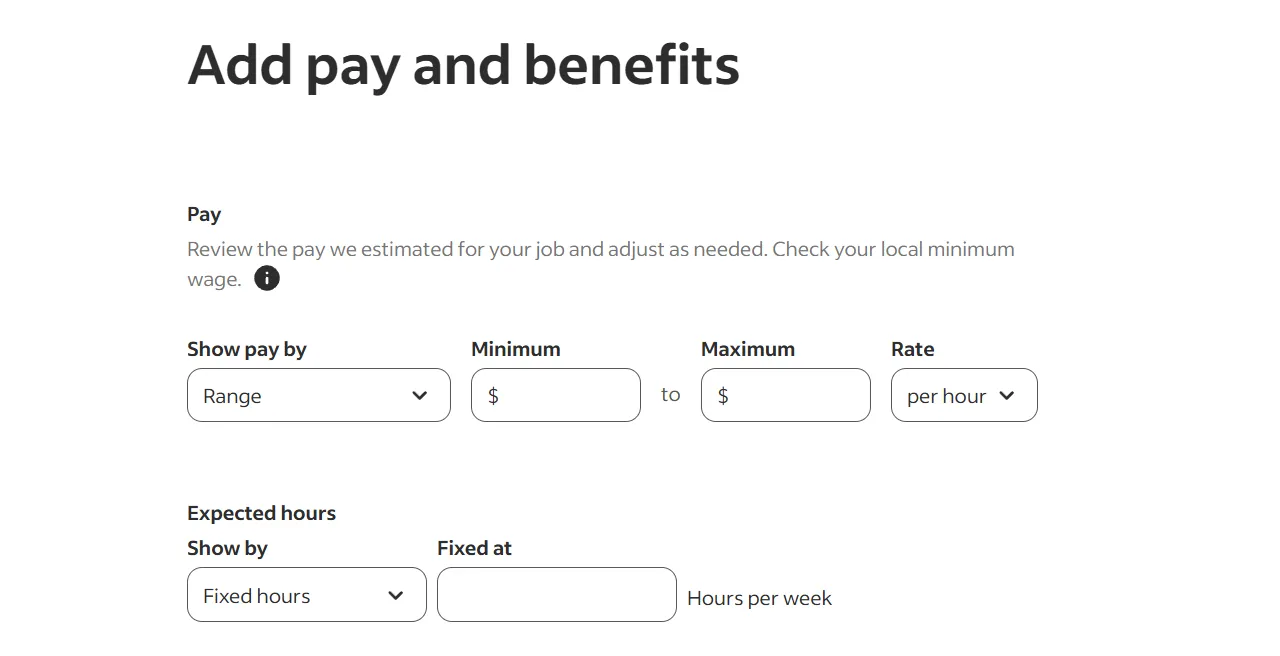
6. Include pay range and benefits
You can choose whether to include pay information in your job posting. If you do, you can list hourly, weekly, monthly or annual pay, along with benefits such as health insurance, paid time off, retirement plans or bonuses.
Although it’s optional, including pay and benefits often leads to higher candidate interest and more applications.
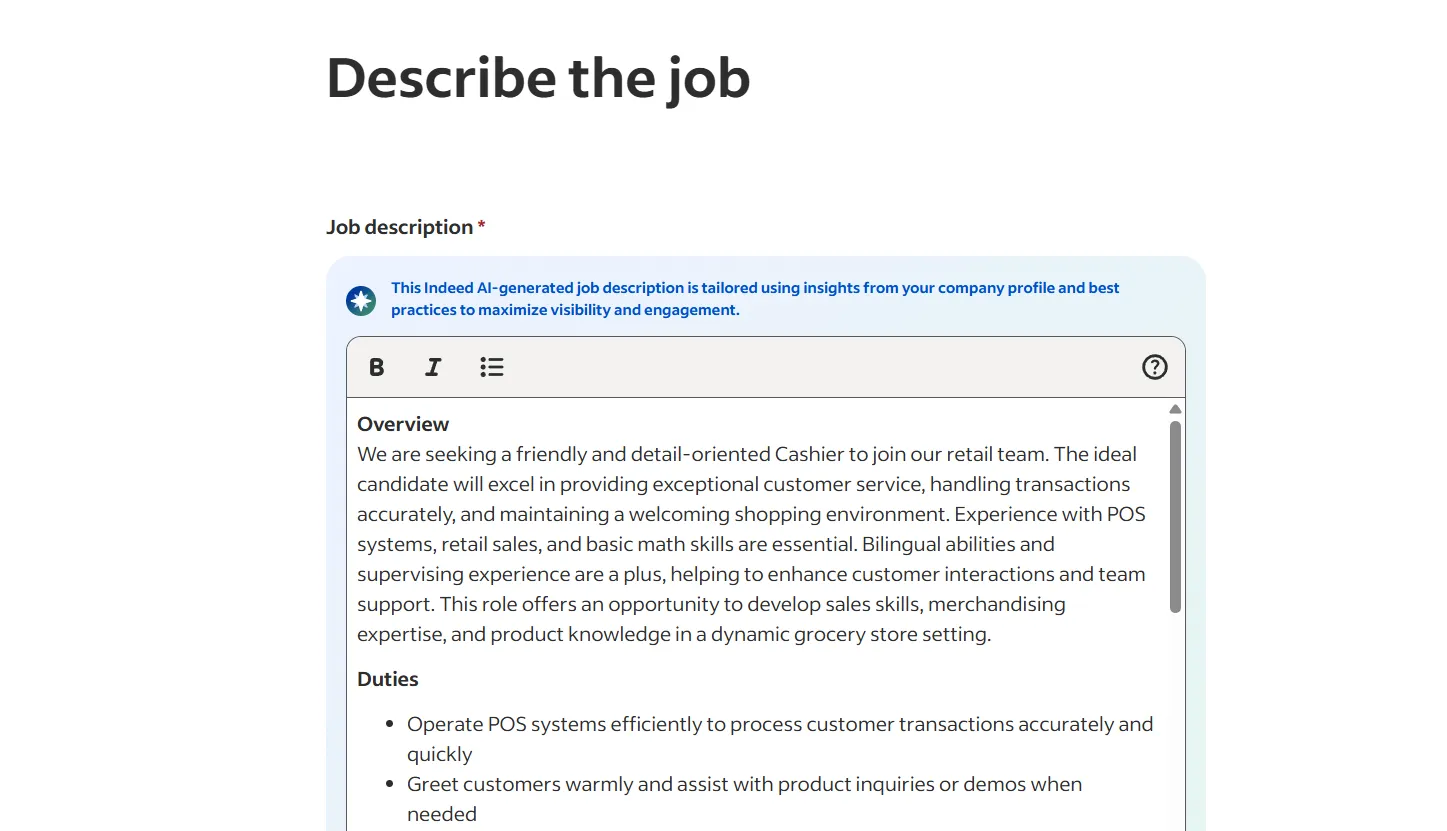
7. Write your job description
This is where you outline the role in detail. A strong job description usually includes:
- A clear job summary
- An overview of day-to-day responsibilities
- Role expectations
- Any preferred experience
- Required skills and qualifications
- A brief introduction to your company
Using short paragraphs and bullet points helps keep your job posting easy to read and more engaging for candidates.
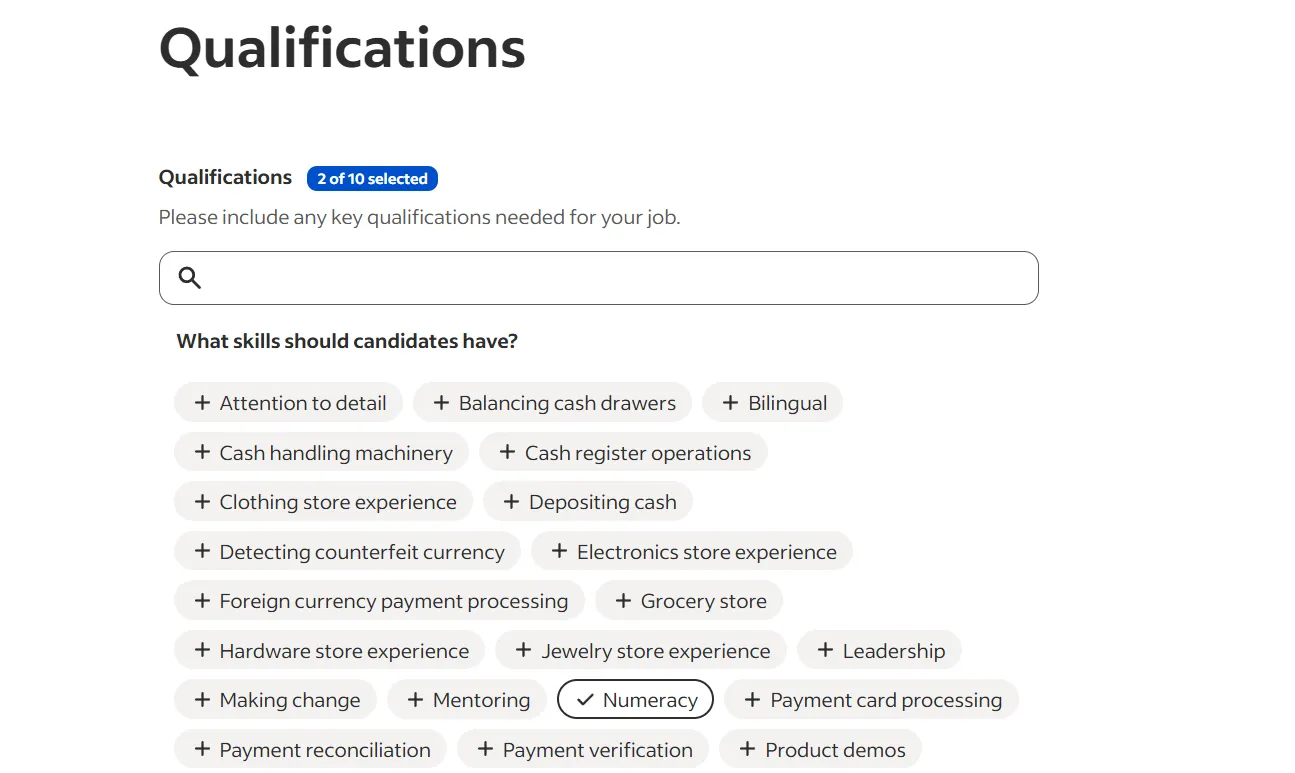
8. Set applicant qualifications, education level and required experience
You can select up to 10 qualifications for the role.
You’ll also choose the required education level, the amount of experience needed and any certifications you’re looking for in a candidate.
9. Review your job posting
Before publishing, review your job ad carefully to make sure all details are accurate and complete.
This step helps prevent errors, improves visibility in search results and ensures candidates clearly understand the role, pay and requirements before applying.
11. Choose a plan
Indeed offers a free option for basic job postings. If you want more visibility, you can choose a sponsored plan to promote your listing.
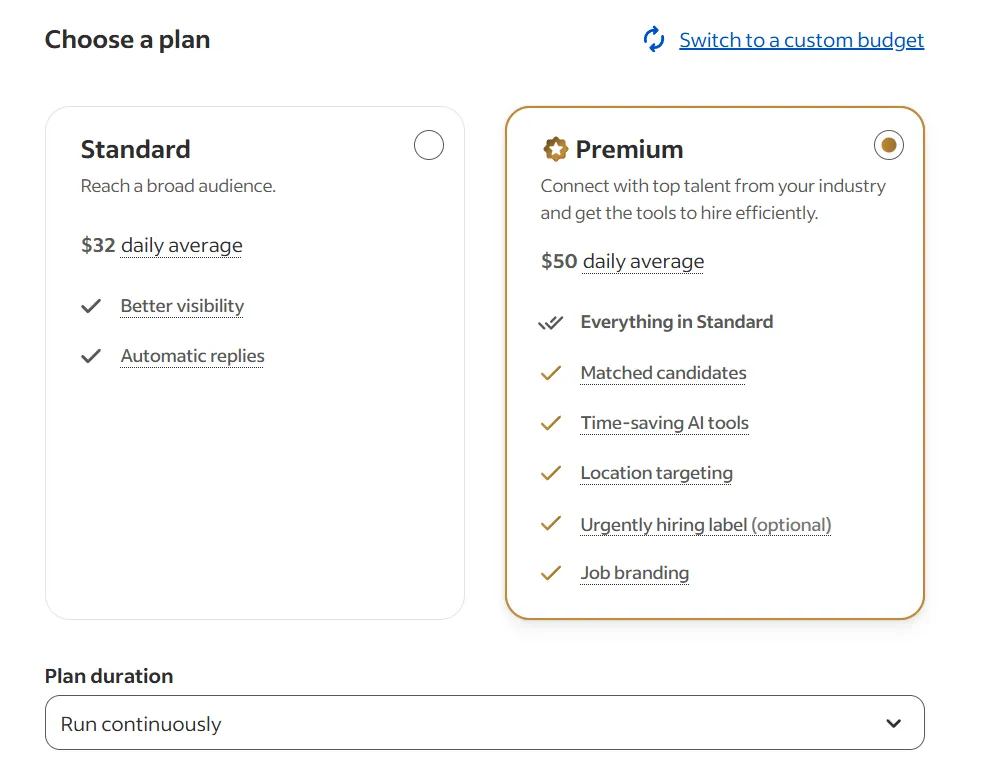
Indeed’s sponsored options include Standard and Premium plans, which offer increased exposure in search results.
You can also choose how long your job ad runs, with options such as 15 days, 30 days, a custom end date or running the listing continuously.
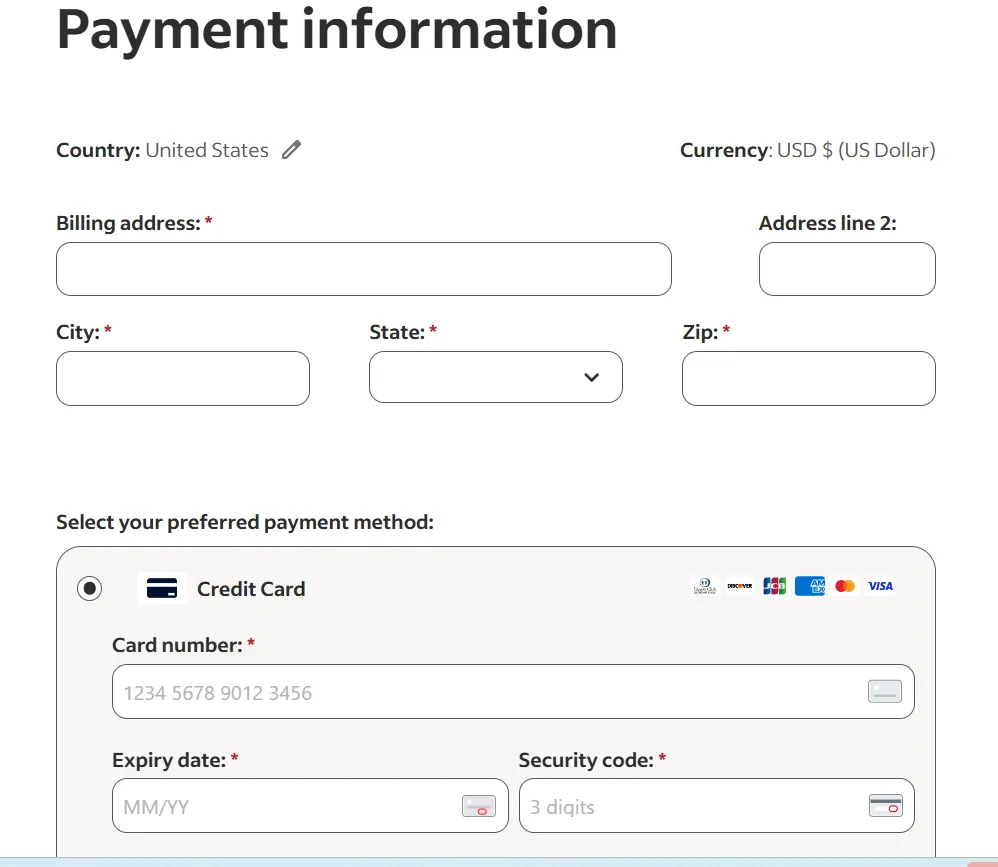
If you select a paid plan, you’ll be prompted to enter your payment information before your job goes live.
12. Publish your job
You can publish your job for free or, if you’ve chosen a paid option, it will go live automatically after payment is completed.
Once published, most listings appear quickly. However, how long it takes for Indeed to post a job can vary, and some postings may take 24 to 48 hours to review.
After publishing, you can monitor performance, review applicants and update your job ad directly from the dashboard.
How Much Does It Cost To Post Jobs on Indeed?
You can post a job on Indeed for free, though free listings typically get the most visibility shortly after they’re published.
As new jobs are added and sponsored listings are promoted, free posts may move lower in search results over time, which can reduce applicant volume.
If you need consistent visibility or are hiring on a tighter timeline, sponsoring your job helps keep your listing in front of job seekers longer.
Sponsored job pricing varies based on the options you choose. On average, standard plans cost around $32 per day, while premium plans average $50 per day.
The final cost depends on your campaign duration and the maximum budget you set.
How Sponsored Jobs on Indeed Work
Sponsored jobs use a pay-per-click (PPC) pricing model, meaning you only pay when a job seeker clicks on your listing.
The cost per click varies depending on factors such as job title, location, industry demand and competition in your market.
Employers set their own daily or monthly budget and have full control over spending. There are no long-term contracts, and sponsorships can be started, paused or stopped at any time as hiring needs change.
Free vs. Sponsored Jobs: Which Should You Choose?
Posting for free can be a good option if you’re hiring casually, have flexible timelines or are testing the market.
However, sponsoring your job may be the better choice if:
- You need to hire someone quickly
- You’re recruiting for a hard-to-fill role or a position requiring specialized skills
- You’re hiring in a competitive job market
- Your free job post isn’t attracting enough qualified applicants
In these situations, sponsorship can help your job ad reach more candidates and stay visible longer in search results without requiring a long-term commitment.
Job Posting Language Guidelines on Indeed
When writing a job post on Indeed, it’s important to follow the platform’s content guidelines so your listing is approved and visible to job seekers.
Clear, honest language also helps candidates understand the role and decide whether to apply.
As you write your job description, keep these best practices in mind:
- Use professional and respectful language throughout your post
- Avoid misleading or exaggerated job titles meant only to attract clicks
- Write original content rather than copying descriptions from other sources
- Ensure your job is open to all qualified candidates and does not include discriminatory language
- Follow all applicable local, state and federal employment laws
Job posts that don’t meet these standards may be edited, delayed or removed by Indeed.
Why OysterLink Is the Best Place to Hire Hospitality Workers
Posting a job ad on Indeed is simple, and the platform offers flexibility through free postings and pay-per-click sponsorships.
However, if you’re hiring hospitality staff — such as servers, bartenders, line cooks or hotel professionals — a platform built specifically for the industry can be far more effective.
OysterLink is a hospitality jobs platform that focuses exclusively on hospitality roles.
Posting a job on OysterLink costs $50 per listing, giving employers direct access to candidates who are actively looking for hospitality work and understand the demands of service-based positions.
By targeting hospitality candidates directly, OysterLink helps businesses hire faster and with greater confidence.

Written by Sasha Vidakovic
Sasha is an experienced writer and editor with over eight years in the industry. Holding a master’s degree in English and Russian, she brings both linguistic expertise and creativity to her role at OysterLink. When she's not working, she enjoys exploring new destinations, with travel being a key part of both her personal and professional growth.