


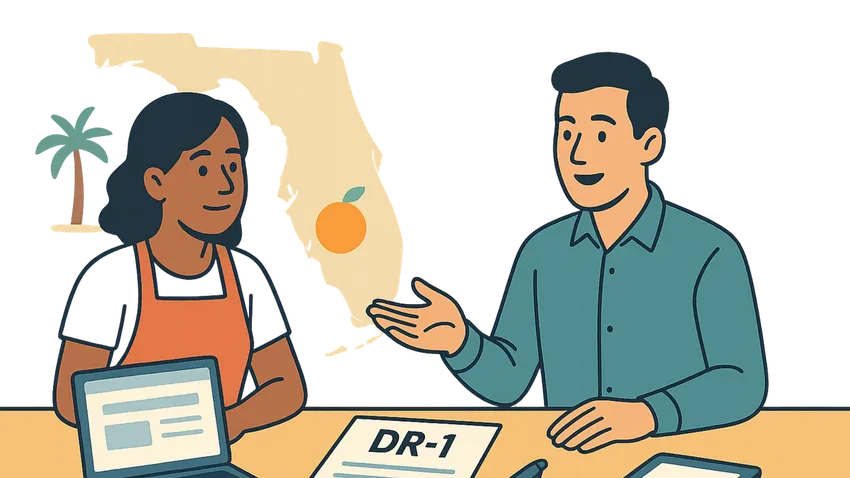

Florida Business Tax Application (DR-1) explains how Business Owners and Employers register with the Florida Department of Revenue to collect, report, and remit state taxes and fees.
This guide covers who must register, how To complete Form DR-1 online or by paper, and what information To have ready before you apply.

1. Overview of the Florida Business Tax Application (DR-1)
Florida requires businesses that engage in taxable activities to register with the Department of Revenue using Form DR-1.
Registration establishes your tax account and enables collection and remittance of Sales and Use Tax, Reemployment Tax, and other state fees.
What Is Form DR-1?
Form DR-1 is the Florida Business Tax Application used to register for state taxes and to obtain account numbers and certificates.
It is the primary mechanism the Department of Revenue uses To track businesses that sell goods, provide taxable services, rent property, or employ workers in Florida.
2. Who Needs To Register
Businesses selling, renting, leasing, or repairing tangible personal property generally must register for Sales and Use Tax.
Businesses providing taxable services, charging admissions, renting short term lodging, or employing workers in Florida must also register.
Specific taxes and fees that trigger registration include:
- Sales and Use Tax
- Reemployment Tax
- Communications Services Tax
- Documentary Stamp Tax
- Gross Receipts Taxes for certain industries
- Lead Acid Battery Fee and Waste Tire Fee
- Prepaid Wireless E911 Fee and other local surcharges
3. How To Register
You can register online through the Florida Department of Revenue registration portal for a free and secure experience.
Online registration is fast and you can typically receive your certificate number within three business days.
As an alternative you may complete the paper Form DR-1 and mail it to the Department or bring it to a taxpayer service center.
Online Registration
Visit the Florida DOR registration page and complete the online application to get immediate processing and faster issuance of account numbers.
Online is recommended for speed, accuracy, and for receiving account notifications electronically.
Paper Registration and Service Centers
If you prefer paper complete Form DR-1 and mail it to the address on the form or deliver it to a local taxpayer service center.
Service center locations and hours are listed on the Department of Revenue website.
4. Information You Need To Complete DR-1
Be ready To provide legal and trade names, FEIN or SSN for sole proprietors, and your business structure.
Provide physical and mailing addresses, contact phone and email, and the names and identification numbers of Owners, Officers, Partners, Managing Members, or Trustees.
Also include dates when business activities began or will begin and a clear description of business activities.
If you have Employees include date of hire, number of Employees, payroll amounts, and payroll agent PTIN if used.
5. Steps To Complete the DR-1 Application
Step 1 Review the tax and taxable activity descriptions to identify which taxes and fees apply to your business.
Step 2 Complete required sections of Form DR-1 including Section A and Section K and answer the bolded questions at the start of other sections.
Step 3 Attach any required documentation and verify all identification numbers and addresses are accurate to avoid rejection.
Step 4 Submit the application online, by mail, or in person at a taxpayer service center and retain copies for your records.
6. Additional Considerations
If your business operates multiple locations you must submit a separate DR-1 application for each physical location.
Notify the Department promptly if you change your business name, mailing address, or location address within the same county.
Submit a new registration if you move to a different county, change your legal entity type, add locations, or transfer ownership.
The quickest way To update account information is online through the Department of Revenue portal.
7. Common Mistakes and Best Practices
Do not omit required owner or officer identification numbers as incomplete applications may be rejected.
Do not rely on a single registration if you have multiple physical locations that need separate accounts.
Best practices include gathering FEIN or SSN, business formation documents, and payroll estimates before starting the application.
Consider consulting an Accountant or tax professional for complex ownership structures or for multi county operations.
8. Quick Reference Table of Accounts and Agencies
| Account Type | Agency | How To Register |
|---|---|---|
| Sales and Use Tax | Florida Department of Revenue | Register via the DOR online registration or submit Form DR-1 by mail or at a service center |
| Reemployment Tax | Florida Department of Revenue | Report employment details on DR-1 and provide payroll information to obtain an account |
| Communications Services Tax | Florida Department of Revenue | Identify communications services on DR-1 when registering or update an existing account |
| Documentary Stamp Tax | Florida Department of Revenue | Register and report transfers subject to documentary stamp tax using DR-1 guidance |
| Local Fees and Surcharges | Florida Department of Revenue and Local Authorities | Declare applicable local fees on DR-1 and consult local resources for county specific charges |
9. Additional Resources For Forms and Help
- Florida Department of Revenue - Account Management and Registration
- Florida Business Tax Application (Form DR-1)
- Registering Your Business (Form DR-1N)
- Florida Department of Revenue - Taxpayer Education
- Florida Department of Revenue - Forms and Publications
Florida Business Tax Application (DR-1): Conclusion
Registering with the Florida Department of Revenue using Form DR-1 is a required step for Business Owners and Employers engaging in taxable activities in Florida.
Prepare the required documentation, choose online registration for speed, and keep account details current to remain compliant and avoid penalties.



The Fastest Growing
Restaurant & Hospitality Job Platform
Looking for top paid jobs? Or Hiring for your business?
The Fastest Growing
Restaurant & Hospitality Job Platform
Looking for top paid jobs? Or Hiring for your business?





Loading comments...